 Podwobble
Podwobble is now on Windows
The short answer: Podwobble, the desktop app that turns a podcast or any other audio into video, now runs on Windows as well as Mac. It needs 64-bit Windows 10 or 11 on an Intel or AMD processor, has the same features and the same Pro as the Mac version, and is a free direct download with a small mark on exports.
Until this month Podwobble, the app I make for turning audio into video, ran only on a Mac. Podwobble for Windows came out in October 2026 as version 0.9.2, and it is the same app: the same four steps, the same exports and the same price. This page covers what your PC needs, what to expect when you install it, and what the app does and doesn’t do, so you can tell before you download whether it’s worth it.
What does my PC need to run Podwobble?
Windows 10 or Windows 11, 64-bit, on an Intel or AMD processor. That covers most PCs made from 2015 on. The download is about 150 MB.
| Windows | Mac | |
|---|---|---|
| System | Windows 10 or 11, 64-bit | macOS 13 Ventura or later |
| Processor | Intel or AMD | Apple silicon (M1 or later) |
| Not supported | Windows on Arm | Intel Macs |
| How you get it | Direct download from this site | Direct download from this site |
Two things to check before you download. If your PC has an Arm processor, Podwobble won’t run on it. And it isn’t in the Microsoft Store; the installer comes from this site only.
What happens when I open the installer?
Windows may warn you the first time. The installer isn’t code-signed yet, so Windows may ask you to confirm before it opens. The support page has the steps for getting past the warning.
Is the Windows version the same as the Mac one?
Yes. It has the same features and the same four steps, in the same order:
- Voices: bring in the audio (MP3, WAV, M4A, FLAC, AIFF or Ogg) and give each host a photo, a name and a colour. If you have a solo recording of each host, add those and Podwobble works out who is talking when.
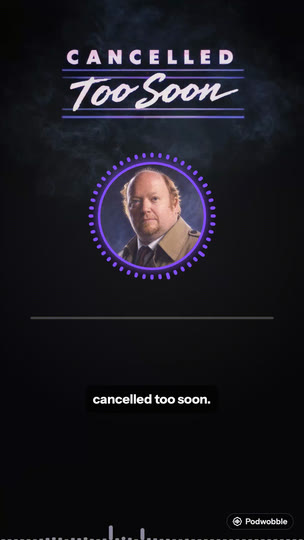
- Look: start from one of six templates or build your own, with a reactive ring around the host photo or one of four standalone waveform styles, plus name plates, a progress bar, text, your logo and a background image.
- Captions: transcribe on your own computer, with each word highlighted as it’s spoken and each host in their own colour.
- Export: the whole episode or the stretch between an in and an out point, in 16:9, 9:16, 4:5 and 1:1 together, as H.264 MP4 at 30fps with the captions burned in.
Because the app is the same, the Podwobble steps in the guides on this blog are the same on a PC. The walkthrough for turning a podcast clip into a video has “Mac” in its title because it was written before this release. That also holds for the Podwobble part of turning a podcast into a YouTube video.
What does it cost on Windows?
The same as on a Mac. The free version has unlimited projects and exports and every feature and format works; each export carries a small Podwobble mark in the bottom-right corner. Pro removes the mark and adds 2K and 4K export. Pro is $9.99 a month, $59.99 a year with a 7-day free trial, or $99.99 once for lifetime.
If you use both kinds of computer, one Pro license key works on up to 3 computers, Mac or Windows in any mix. So a Mac and a PC can share the same key. For how free here compares with free elsewhere, I’ve written up the free ways to turn a podcast into a video and the catch with each.
Does it upload my audio or need an account?
No to both. There is no account, no analytics and no tracking. Your audio, images, projects and transcripts stay on your computer, and the speech model that writes the captions ships inside the app, so transcription doesn’t send the episode anywhere. The app works without an internet connection. When there is one, it checks for updates on launch and, if you have a Pro license key, checks the key.
What doesn’t it do?
Some things are outside what Podwobble does:
- It doesn’t pick your clips. You choose the moment and set the in and out points yourself.
- It doesn’t pull episodes from an RSS feed. You bring the audio file.
- It transcribes English only. For any other language, bring captions you already have with Import SRT/VTT….
- It doesn’t edit camera footage. It makes video from audio and still images.
- It doesn’t post for you. You get MP4 files and upload them yourself.
- There’s no web or phone version. It’s a desktop app for Windows and Mac.
If one of those is the thing you need most, Podwobble isn’t the right tool, and I’d rather you knew before installing.
Questions
Is Podwobble free on Windows?
Yes. Unlimited projects and exports with every feature and format, and a small Podwobble mark in the bottom-right corner of each export. Pro removes the mark and adds 2K and 4K.
Is Podwobble in the Microsoft Store?
No. On Windows it is a direct download from this site only.
Can I use one Pro license on a Mac and a PC?
Yes. One Pro license key works on up to 3 computers, Mac or Windows in any mix.
Make your first podcast video on your PC today. Podwobble is free for Mac and Windows, with a small mark on exports.
Written with the help of AI, from my notes on how Podwobble works. Facts are checked against the linked sources.